Introduction
As a professional designer, my daily schedule used to look like absolute chaos. Managing client feedback, tracking active branding projects, mapping out social media content, and trying to keep an eye on invoices—all while attempting to actually stay creative—was a constant battle against burnout.
For years, I jumped from one app to another until I finally built my entire creative and business workflow using premium Notion templates. It completely transformed how I run my digital platforms.
However, as anyone who has opened a blank page knows, building an efficient dashboard from scratch is an absolute time-sink. When you have client deadlines looming, you can’t afford to spend three days tweaking databases and nesting pages. That is why I am a massive advocate for ready-to-use, professionally crafted frameworks.
In this guide, I’ve curated the 15 best Notion templates from Creative Fabrica that I personally find incredibly valuable for anyone running a creative hustle, e-commerce shop, or digital business. Plus, if you stick around until the end, I’ve included an exclusive mega-bundle bonus to completely overhaul your personal productivity.
These setups are engineered to eliminate administrative friction, organize your backend operations, and free up your time for what you do best: creating.
Let’s kick things off with the backbone of any successful creative venture—managing your business and clients.
Similar reads:
- 15 Best Notion Templates for Creators and Business + Free Mega Bonuses (2026)
- Level Up Your Brand: 15 Premium Canva Templates for Creators & Makers
- 17 Best Aesthetic Notion Templates to Organize Your Entire Life & Business
- 19 Best Canva Templates on Creative Fabrica to Download in 2026
🌿 Quick Navigation: Find Your Perfect Template
Short on time? Jump straight to the specific setup you need today:
📂 Part 1: Business & Startups Hub
- 1. CRM Tracker Notion Template – Best for client pipeline and project deadlines.
- 2. Notion Advanced CRM Template – Best for minimalist, distraction-free operations.
- 3. Small Business Finance Notion Planner – Best for cash flow, tracking inventory, and taxes.
- 4. Notion Airbnb Tracker, Notion Template – Best for multiple properties and hospitality math.
- 5. Digital Product Creation Planner Notion – Best for Etsy/Creative Fabrica launch checklists.
- 6. Freelance Client & Project CRM Notion – Best for managing complete operating systems and invoices.
- 7. NoteGrid Notion Template – Best for visual thinkers and digital sticky notes.
- 8. Notion Etsy Shop Dashboard Template – Best for e-commerce SEO, listings, and sales analytics.
- 9. Aesthetic Home & Business Notion Planner – Best for combining daily habits with multi-channel marketing.
📂 Part 2: Content Planning Hub
- 10. Notion Social Media Planner – Best for light-mode scheduling and brand identity guidelines.
- 11. Notion Personal Social Media Planner – Best for mindful execution and brand expansion milestones.
- 12. Notion Social Media Content Planner – Best for defining content pillars and promotional funnels.
- 13. Notion Event Planner, Notion Template – Best for wedding coordination, vendors, and seating plans.
📂 Part 3: Content Creation & Social Media Hub
- 14. FREE Content Creation Notion Template – Best for botanical/niche creators and seasonal schedules.
- 15. NOTION Creator’s Planner – Best for capturing fresh ideas via a dedicated Ideas Hub.
🎁 Exclusive Bonuses
- 🎁 BONUS #1: The Ultimate Notion Templates Bundle – Unlock the 20-in-1 mega pack for total life and work organization.
- 🎁 BONUS #2: Notion Customisation Bundle – Best for custom Canva covers, minimalist dividers, and workspace branding.
📂 Part 1: Business & Startups Hub
When you transition from a hobbyist to a professional creator, organization is what keeps your business alive. You need to know exactly where your money is, where your projects stand, and when your clients expect deliverables.
Here are the top Notion templates to streamline your business operations and client management:
1. CRM Tracker Notion Template (Customer Relationship Management)
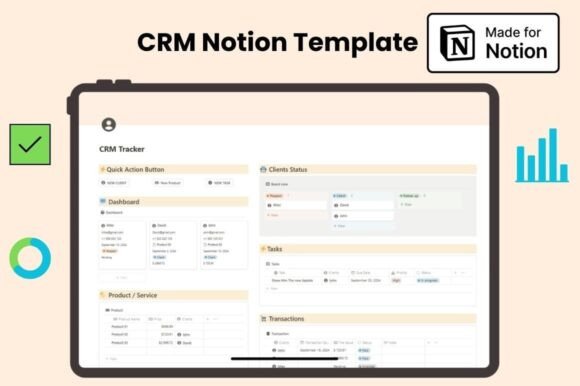
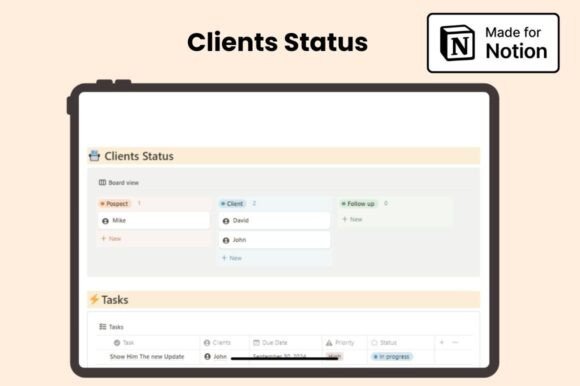
As a designer, my inbox used to be a mess. This specific Notion template completely saved my sanity. It is a clean, minimal workspace built for freelancers and small teams who need to track clients, tasks, and cash flow without getting overwhelmed by chaotic layouts.
Best Used For: Tracking leads through your pipeline, managing project deadlines, and keeping a crystal-clear history of client invoices and product prices in one central dashboard.
Why It’s a Game-Changer: The quick-action buttons let you log a new task or client with a single click. Instead of wasting hours on administrative setups, this Notion template gives you an instant, real-time overview of your business health so you can focus entirely on your creative projects.
2. Notion Advanced CRM Template
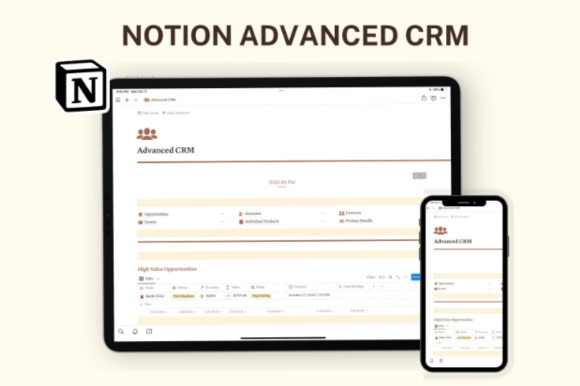
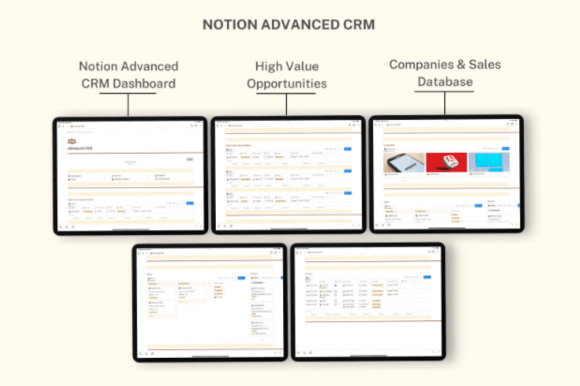
As a designer who easily gets overwhelmed by ugly, cluttered layouts, I instantly fell in love with this clean dashboard. It’s one of those Notion templates that proves less is actually more. The chic, minimalist visual style lets you focus entirely on your work without any annoying visual distractions.
Best Used For: Keeping complete control over client data, breaking down big projects into daily tasks, and managing your entire creative business from a single page.
Why It’s a Game-Changer: The layout is incredibly flexible, so you can easily customize it or build out new sections as your hustle grows. Instead of jumping between tabs, these kind of Notion templates put your priorities front and center, helping you handle daily operations mindfully and effortlessly.
3. Small Business Finance Notion Planner
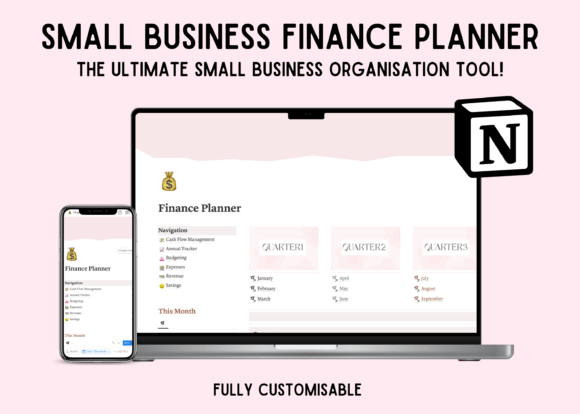
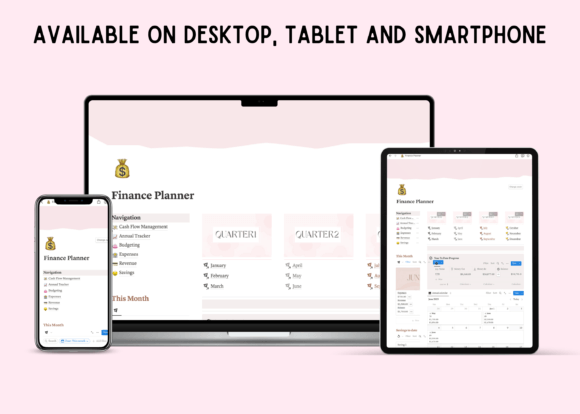
Let’s be honest: tracking numbers is usually the least favorite part of a designer’s job. But this specific dashboard actually makes it painless. It is one of those comprehensive Notion templates that takes the dread out of bookkeeping, keeping all your cash flow, budgeting, and revenue metrics beautifully organized in one reliable place.
Best Used For: Managing annual cash flow, monitoring marketing expenses, tracking inventory levels, and reviewing profit margins across different sales channels.
Why It’s a Game-Changer: Instead of scrambling through messy spreadsheets during tax season, these intuitive Notion templates give you a clear, real-time look at your year-to-date progress. It instantly untangles your financial chaos so you can focus on growing your business with absolute confidence.
4. Notion Airbnb Tracker, Notion Template
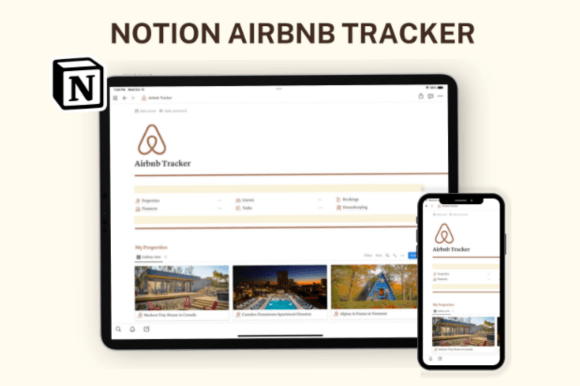
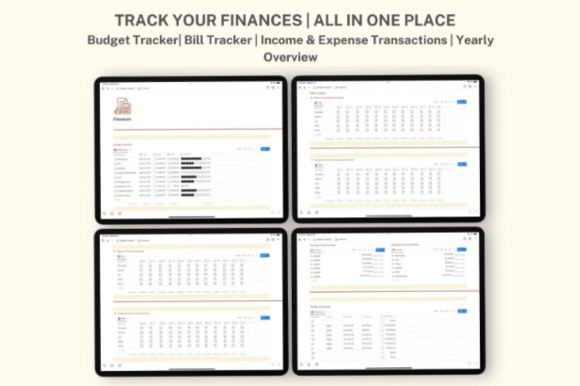
As a designer who loves clean aesthetics, I’m obsessed with how color-coordinated and intentional this layout feels. It’s one of those Notion templates that proves property management doesn’t have to look like a boring spreadsheet. The chic, distraction-free design actually makes hospitality tracking enjoyable.
Best Used For: Managing multiple properties, tracking upcoming guest check-ins or check-outs, logging housekeeping tasks, and storing insurance policies alongside supplier contacts.
Why It’s a Game-Changer: The built-in automated budget and finance calculators do all the heavy math for you. You can mindfully monitor income transactions, view a full yearly overview, and easily customize new pages or sections to match your unique rental business. These kind of smart Notion templates save you from administrative burnout.
5. Digital Product Creation Planner Notion
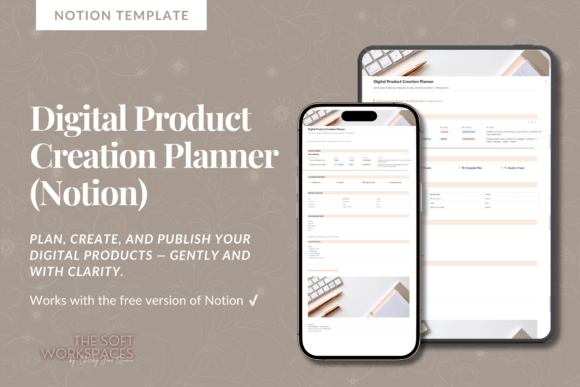
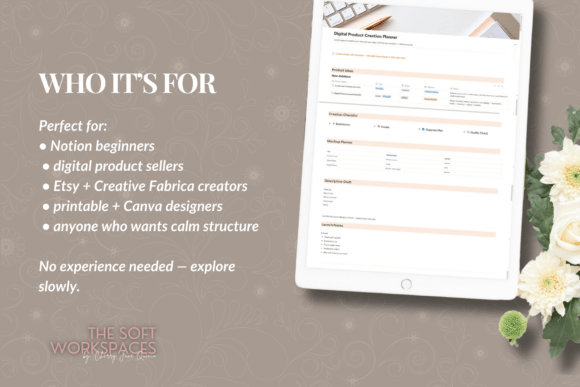
As a designer who constantly builds and sells assets, I’m tired of overly complicated, multi-layered setups. That’s why this straightforward dashboard is a breath of fresh air. It is one of those minimalist Notion templates that focuses entirely on a calm, stress-free workflow, stripping away annoying formulas and clunky automations.
Best Used For: Brainstorming digital product ideas, mapping out creation checklists step-by-step, planning mockup imagery, and drafting product descriptions for Etsy or Creative Fabrica.
Why It’s a Game-Changer: It keeps your entire launch strategy in one place—from the initial spark of an idea to your final SEO keywords and launch notes. These types of clean Notion templates prevent creative overwhelm, helping you ship your digital products without getting lost in a mess of scattered files.
🎨 Looking to level up your brand’s visuals? A structured Notion workspace keeps your business organized, but your marketing assets need to stop the scroll. To completely cut out creative burnout and launch stunning digital items, click-through pins, or product packaging, check out our fresh, ultimate round-up of the 15 Best Canva Templates from Creative Fabrica to elevate your visual identity in seconds.
6. Freelance Client & Project CRM Notion
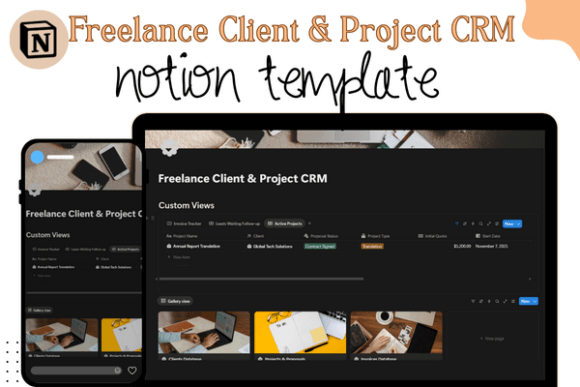
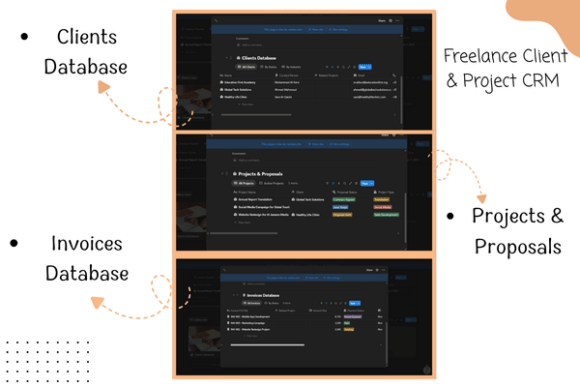
When you are trying to scale your freelance business, you can’t afford to waste time hopping between five different tools. This workspace is an absolute powerhouse. It’s one of those comprehensive Notion templates that functions like a complete operating system, centralizing your backend operations into a single, cohesive dashboard that looks incredibly professional.
Best Used For: Tracking active client details, organizing daily task deadlines, managing project milestones, and storing critical documents like business proposals or invoices.
Why It’s a Game-Changer: It completely eliminates administrative chaos. By keeping your pipeline, task lists, and financial tracking connected, these structured Notion templates give you total control over your business health. You’ll never miss a deadline or forget a pending client payment again.
7. NoteGrid Notion Template
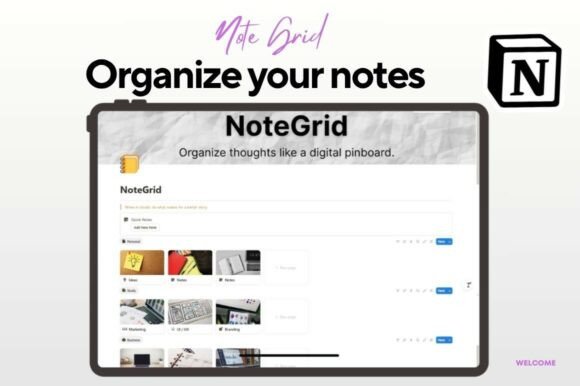
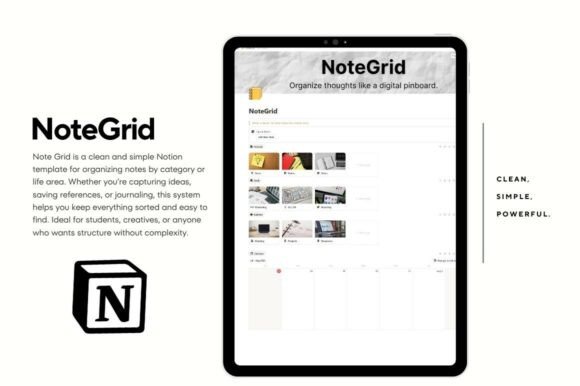
As a designer, I’m a completely visual thinker, so standard list-based layouts usually put my brain to sleep. This digital pinboard dashboard completely changed how I sketch out ideas. It is one of those clever Notion templates that perfectly mimics a physical wall of sticky notes, keeping your workspace highly creative yet beautifully structured.
Best Used For: Brainstorming rough design inspiration, drag-and-drop project mapping, organizing study or meeting notes, and linking daily thoughts to an integrated editorial calendar view.
Why It’s a Game-Changer: The layout gives you incredible visual freedom without the clutter. You can color-code your notes, tag topics like marketing or business, and capture quick thoughts on-the-fly. If you want structure but hate rigid setups, these flexible Notion templates bridge the gap between pure spontaneity and clean organization.
8. Notion Etsy Shop Dashboard Template
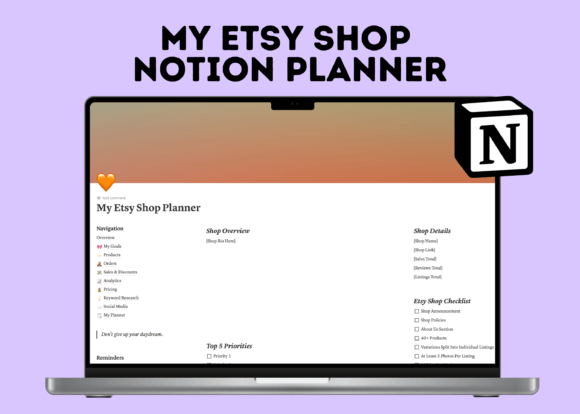
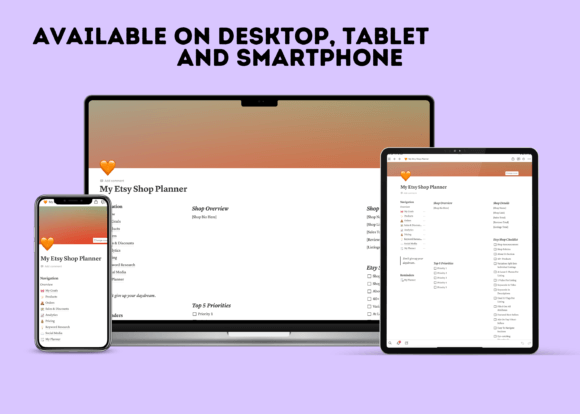
Running a shop means wearing ten different hats at once, which is why I’m a huge fan of this straightforward backend setup. It’s one of those essential Notion templates that replaces a mountain of messy notebooks, putting your entire e-commerce workflow into a sleek, clean, and completely customizable mobile-friendly dashboard.
Best Used For: Tracking product listings, managing customer orders, archiving Etsy SEO keyword research, calculating pricing margins, and planning your social media content calendar.
Why It’s a Game-Changer: It keeps your daily tasks directly tied to your big business goals. Instead of drowning in chaotic spreadsheets, these intuitive Notion templates give you a clear look at your sales analytics, discounts, and inventory, keeping you organized and productive even on the go.
9. Aesthetic Home & Business Notion Planner
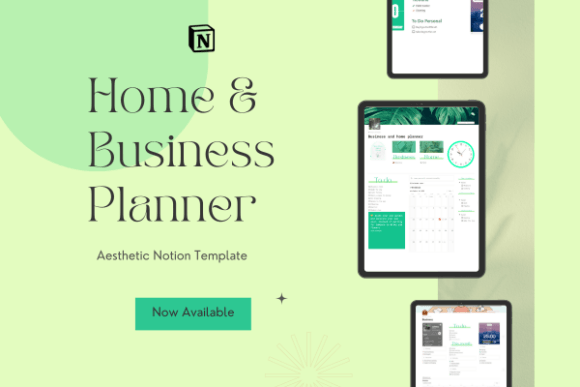
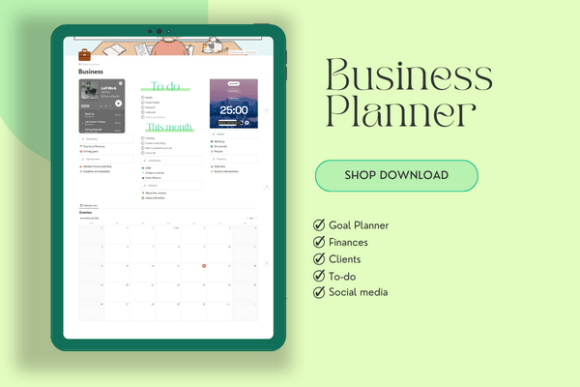
As a designer balancing daily life with a creative hustle, I absolute adore workspaces that blend beauty with serious utility. This setup is a dream. It is one of those incredibly thoughtful Notion templates that beautifully merges your household routines and backend business tasks into one peaceful, serene digital environment.
Best Used For: Tracking daily habit stats, managing multi-channel marketing campaigns, running an end-to-end client CRM, and logging your income alongside domestic chores.
Why It’s a Game-Changer: It actually considers your mental well-being while you work. Between the built-in Pomodoro timers, a cozy embedded Lo-Fi playlist, and highly detailed operational workflows for YouTube and client meetings, these types of balanced Notion templates protect you from creative burnout while keeping your entire life smoothly on track.
📂 Part 2: Content Planning Hub
Consistency is the absolute hardest part of content creation, but having a visual production pipeline changes everything. If you are running a blog, managing an Etsy store, or building a brand on social media, you can’t afford to rely on random, spontaneous uploads. You need a system that captures your ideas before they vanish and helps you map them out without pressure.
Here are the top Notion templates to streamline your editorial calendar and elevate your content strategy:
10. Notion Social Media Planner
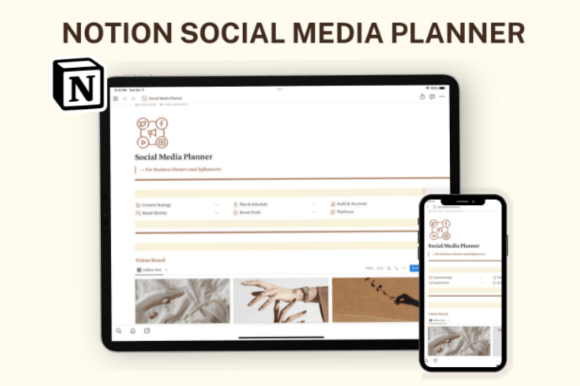
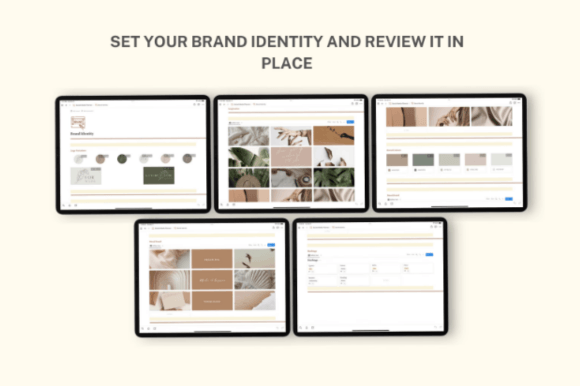
As a designer, I know how hard it is to maintain a consistent brand aesthetic across different platforms while juggling content calendars. This workspace is a true lifesaver. It is one of those gorgeous Notion templates that beautifully packages your content scheduling, growth analytics, and core brand guidelines into one minimal, light-mode dashboard.
Best Used For: Planning daily social media posts, running deep SWOT analyses, logging incoming brand deals, and keeping your logo variations, typography, and mood boards organized in one spot.
Why It’s a Game-Changer: It perfectly merges your content strategy with your actual brand identity. Instead of jumping between design files and text editors, these unified Notion templates let you track your long-term goals and social media income transactions effortlessly, keeping your business running without the typical creative friction.
11. Notion Personal Social Media Planner
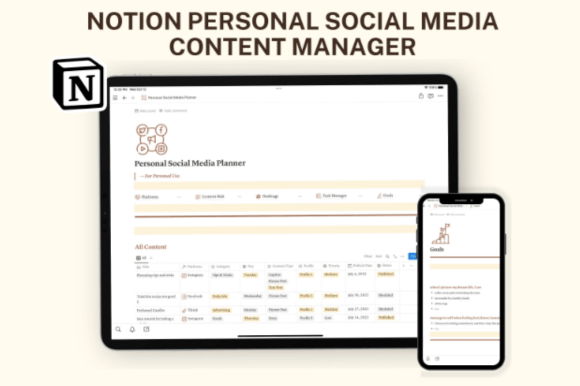
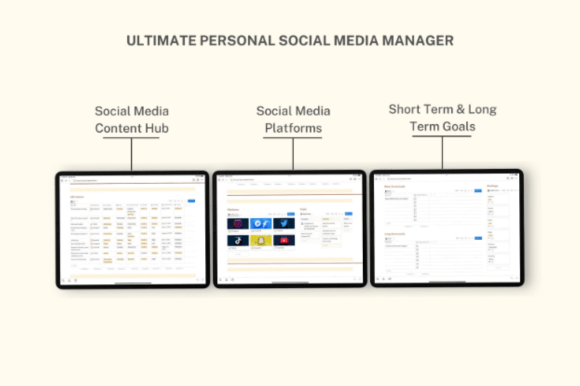
When you are trying to scale your online presence, distraction is your worst enemy. I love this specific layout because its chic, minimal font choices and clean grids instantly quiet the noise. It’s one of those intentional Notion templates that focuses heavily on mindful execution, keeping your daily content creation tightly connected to your bigger vision.
Best Used For: Brainstorming daily post ideas, managing hashtag collections, setting long-term brand expansion milestones, and organizing your cross-platform publishing schedule.
Why It’s a Game-Changer: It bridges the gap between dreaming and doing. With its dedicated task manager and brand vision boards, these streamlined Notion templates stop you from endlessly scrolling and give you a structured, aesthetic sandbox to safely map out your content hub and build a recognizable brand identity.
12. Notion Social Media Content Planner
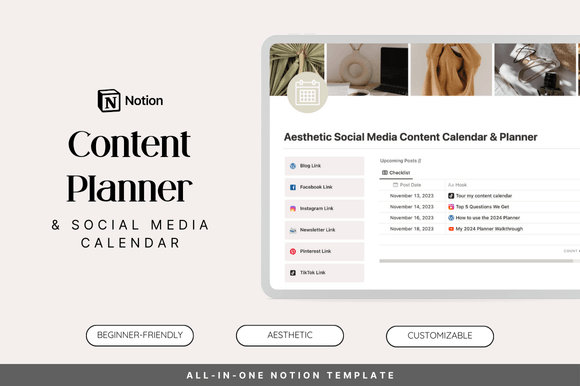
As a designer, I know that raw inspiration is nothing without a solid structure to back it up. This dashboard is an absolute beast for mapping out your marketing funnel. It is one of those comprehensive Notion templates that stops you from drowning in endless browser tabs, putting your entire research and publishing pipeline into one beautifully organized hub.
Best Used For: Defining core content pillars, tracking promotional funnels, storing audience and keyword research data, and conducting deep monthly performance reviews.
Why It’s a Game-Changer: It forces you to create with a clear purpose. Instead of just throwing random posts together, these data-driven Notion templates help you align your daily workflows with actual business goals. Between the quick-access platform buttons and the seamless calendar integration, it feels less like a strict chore and more like a creative playground.
13. Notion Event Planner, Notion Template
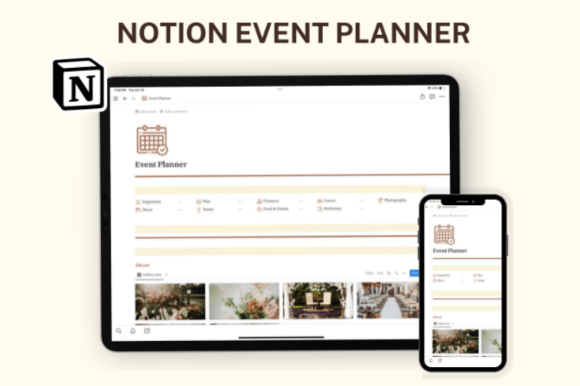
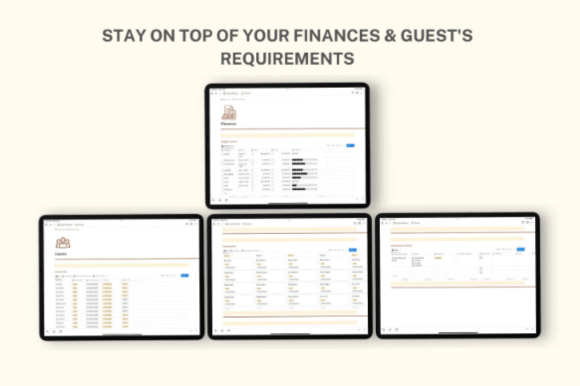
Whether you are coordinating a massive brand launch or designing a dream wedding, event logistics can get messy fast. I’m completely in love with this chic, distraction-free setup. It’s one of those comprehensive Notion templates that keeps your creative inspiration and cold, hard logistics perfectly balanced in one beautiful light-mode dashboard.
Best Used For: Tracking décor vendors, mapping out complex seating arrangements, organizing guest RSVP lists, logging photography contracts, and managing weekly agenda timelines.
Why It’s a Game-Changer: It stops budget leaks before they happen. With its built-in finance trackers for payments and transactions alongside robust vendor checklists, these smart Notion templates ensure you never overlook a contract detail or misplace an invitation list, keeping your big day stress-free.
📂 Part 3: Content Creation & Social Media Hub
When you scale your digital presence, consistency is your greatest asset. You cannot rely on memory alone to handle scripting, filming schedules, and multi-platform publishing. To maintain a steady flow of traffic to your blog or store and keep your audience engaged, your production pipeline must be perfectly synchronized—whether you are looking for a quick, friction-free start or a complete brand overhaul.
Here are the top Notion templates to streamline your content strategy, capture raw inspiration, and master your social media management:
14. FREE Content Creation Notion Template
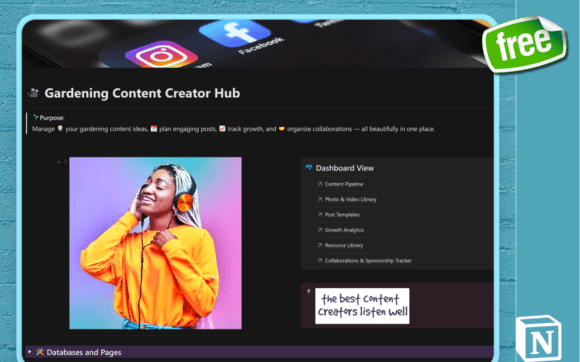
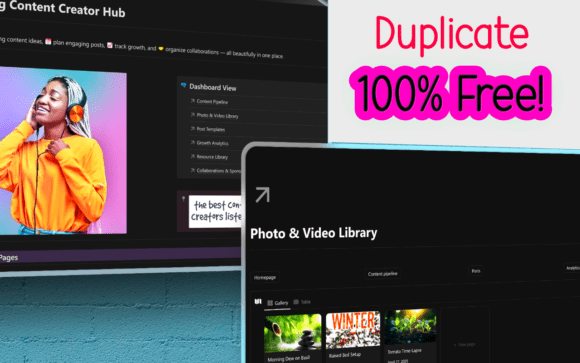
As a designer who loves green spaces, I think this niche setup is absolutely brilliant. It is one of those incredibly charming Notion templates that feels like a cozy greenhouse for your digital strategy, allowing you to cultivate raw creative ideas and transform them into beautifully organized multi-platform campaigns.
Best Used For: Categorizing seasonal garden tour concepts, scheduling plant care videos, managing botanical sponsor partnerships, and monitoring visual growth metrics for Pinterest and YouTube.
Why It’s a Game-Changer: It brings structure to organic chaos. Instead of letting your creative ideas wither away in random notes, these highly customizable Notion templates help you map out your posting schedule by week or season, giving your content funnel a clean, refreshing, and entirely stress-free workspace to grow in.
15. NOTION Creator’s Planner
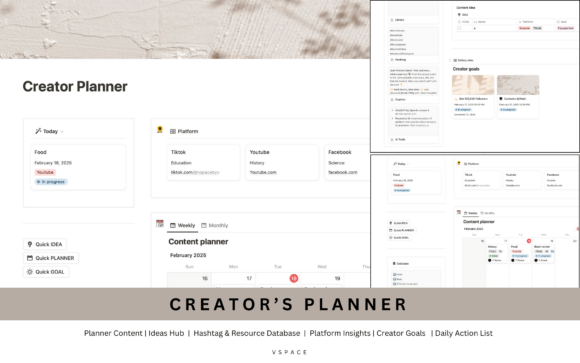
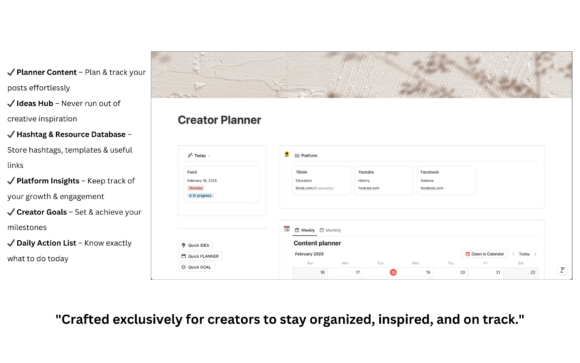
As a designer, I know that keeping your consistency up can be a major uphill battle when you don’t have a reliable workspace. This system is a beautiful breath of fresh air. It is one of those highly practical Notion templates that effortlessly cleans up your chaotic daily workflow, letting you focus on filming, writing, and creating without feeling completely overwhelmed.
Best Used For: Tracking weekly and monthly content drops, storing educational resources or courses, mapping out long-term channel goals, and reviewing multi-platform audience growth insights.
Why It’s a Game-Changer: It stops your best thoughts from slipping through the cracks. Thanks to the dedicated Ideas Hub and clean daily action lists, these streamlined Notion templates ensure that inspiration is instantly captured, refined, and scheduled into actionable tasks, keeping your brand growth steady and your mind perfectly clear.
🖤 Final Thoughts: Building a System That Works for You
At the end of the day, a tool is only as good as the friction it removes from your life. As creators, entrepreneurs, and designers, our time is our most valuable currency. You shouldn’t be wasting it fighting with complicated database configurations or staring at a blank screen wondering where your project files are.
Investing in professionally designed Notion templates isn’t just about making your workspace look pretty (though an aesthetic dashboard is an incredible mood booster!). It’s about building a bulletproof second brain that holds your business together while you focus on the big picture.
Whether you start with a lightweight free tracker or overhaul your entire digital operations with a full business hub, the goal is exactly the same: less administrative noise, more focused creative execution.
💬 Frequently Asked Questions (FAQ)
What are the best Notion templates for content creators?
The best Notion templates for content creators are those that seamlessly connect an ideas hub with an active multi-platform editorial calendar. Frameworks like the Aesthetic Content Calendar or Creator’s Planner are highly recommended because they allow you to map out your long-term brand pillars, track keyword research, and manage your daily publishing pipeline across Pinterest, YouTube, and blogs all in one single dashboard.
Can I use Notion templates for running a small business or freelance work?
Absolutely. Specialized business Notion templates act as a lightweight, fully customizable CRM (Customer Relationship Management) system. Freelancers, digital designers, and e-commerce shop owners use them to track active client pipelines, manage project deadlines, store invoices, and monitor annual cash flow without the need for expensive, clunky corporate software.
How do I import a Notion template from Creative Fabrica to my workspace?
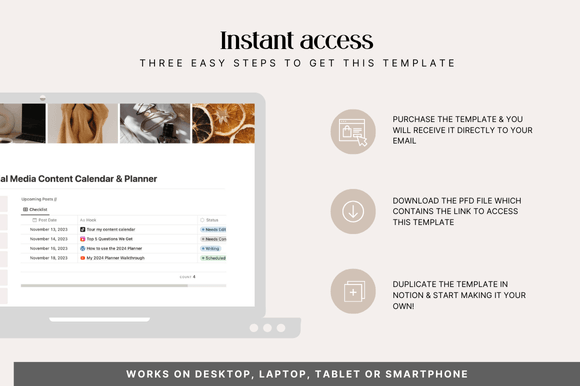
Importing is incredibly easy and takes less than a minute. After downloading your choice from Creative Fabrica, you will receive a PDF file containing a direct access link. Make sure you are logged into your Notion account in your browser, click the link, and then hit the “Duplicate” button in the top right corner. The entire dashboard will instantly copy directly into your private workspace.
Are Notion templates fully customizable?
Yes, one of the biggest benefits of utilizing Notion templates is their absolute flexibility. Once you duplicate a framework into your workspace, you can easily change the fonts, update the color coordination, add custom sections, or tweak the database filters to match your unique personal branding and aesthetic daily workflow.
🔥 Ready to Turn Chaos Into Clarity?
Don’t let inspiration fade away! Here is how you can completely transform your workflow right now:
- Grab Your Favorites: Head over to Creative Fabrica using the links in our guide, duplicate your favorite Notion templates directly into your account, and tweak them to fit your unique style.
- Download Your Exclusive Bonuses (100% Free): No sign-ups, no hidden catches, and no email forms required. Because I want you to succeed on day one, both The Ultimate Notion Templates Bundle (20-in-1 Mega Pack) and The Notion Customization Pack are unlocked and available for instant duplicate right at the bottom of this page.
👇 Scroll down to the bonus section, grab your links, and level up your digital workspace today!
🎁 BONUS #1:
The Ultimate Notion Templates Bundle
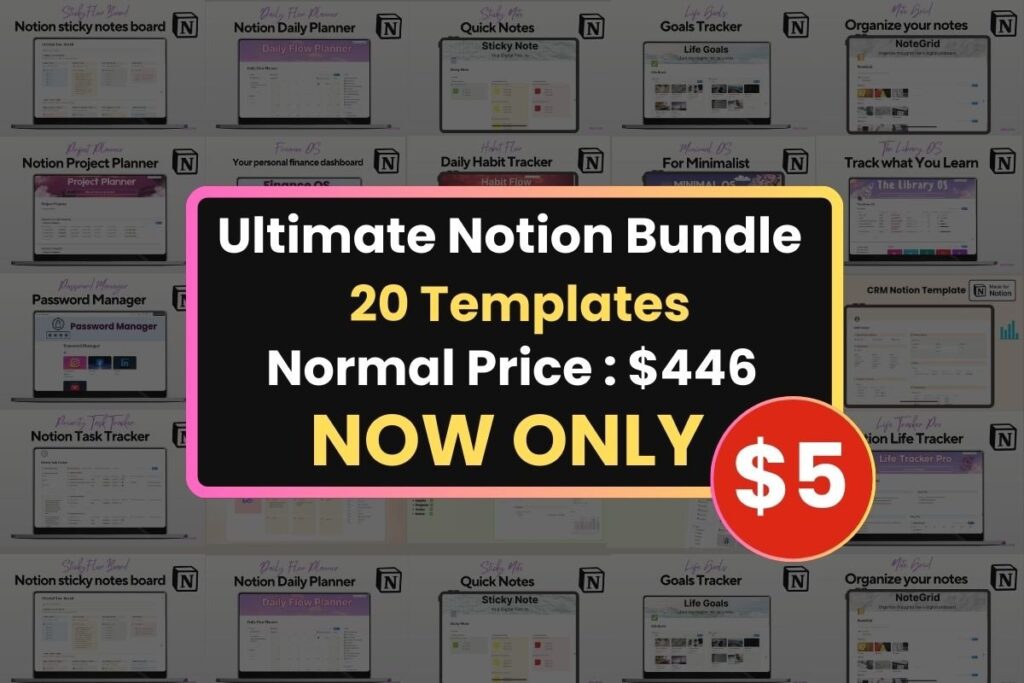
To help you get the absolute most out of your digital workflow, I’m throwing in a massive mega-bundle: 20 carefully crafted Notion templates designed to organize every single corner of your life, business, and creative projects.
Instead of spending hours building complex databases from scratch, you can instantly duplicate these ready-to-use setups into your workspace.
Here is a sneak peek of what’s included in this 20-template pack:
- Business & Freelance: CRM trackers, advanced project managers, and dedicated task trackers built to streamline your client workflows.
- Aesthetic Productivity: Visual StickyFlow dashboards, interactive NoteGrid boards, and mindful daily planners to keep you focused.
- Life & Finance Management: Complete Finance OS trackers, the comprehensive Life OS, secure password managers, and habits progression logs.
- Digital Organization: High-tier systems like the Second Brain (Mindloom) and digital Library OS to organize your ideas and resources without clutter.
Why You’ll Love It:
- True Plug & Play: Super intuitive, clean, and ready to use right after downloading.
- Fully Customizable: Easily tweak layouts, fonts, or colors to match your unique personal branding.
- Lifetime Access: Download it once, use it forever, and sync it flawlessly across all your devices.
How to claim it: This exclusive bonus is automatically unlocked and will be available for instant download alongside your main purchase. Simplify your workflow and take total control of your digital space today!
🎁 BONUS #2:
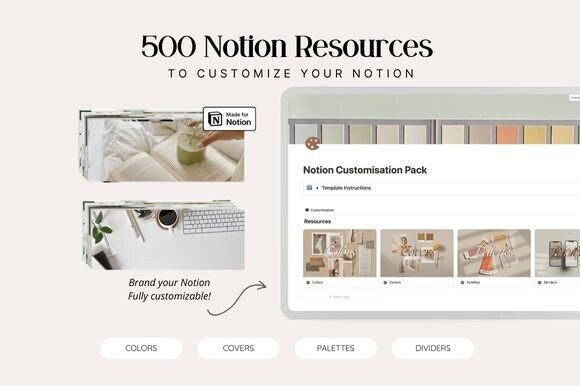
Notion Customisation Bundle
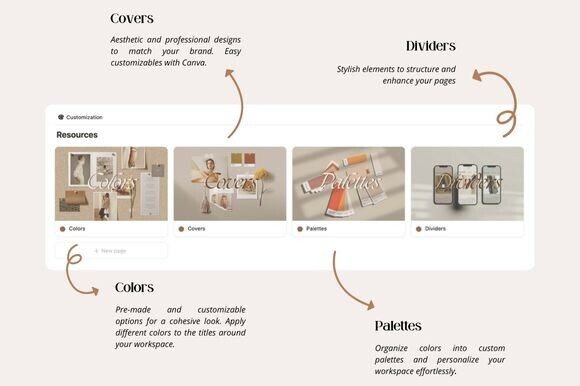
Notion Customization Pack – Level Up Your Workspace
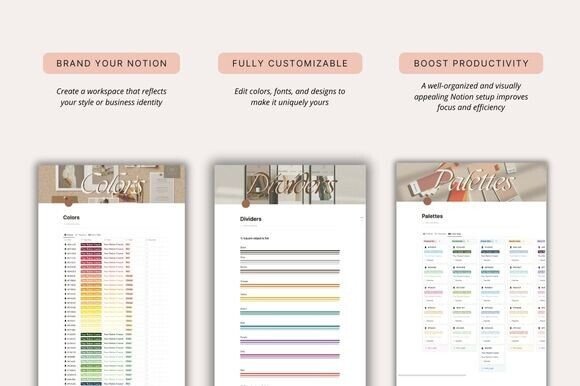
As a designer, I absolutely cannot stand a boring, default layout. If your workspace looks sterile, your creative energy just tanks. That’s why this branding toolkit is such an incredible find. It is one of those brilliant Notion templates and asset packs that lets you completely redesign your dashboard, giving it a high-end, editorial feel that actually makes you excited to log in and work every morning.
Best Used For: Creating cohesive brand themes, designing custom header banners via Canva, separating dense databases with minimalist dividers, and setting up an inspiring, distraction-free aesthetic for your daily hubs.
Why It’s a Game-Changer: It cures digital fatigue. By organizing your pages with beautifully coordinated color palettes and clean visual separators, these aesthetic Notion templates turn a cluttered mess of data into a calm, structured oasis, instantly boosting your daily focus and professional workflow..
Disclaimer: AppsReviewsHUB.com participates in affiliate programs and may earn a commission on purchases made through our links, at no extra cost to you.