From My Desk to Yours
I’ve designed for a lot of service-based businesses over the years, but wedding planners are honestly some of my favorite clients to build templates for — because their work moves fast, looks matter more than almost any other industry, and they genuinely don’t have time to sit in a design tool for six hours making a guest list look pretty. They need it to look pretty in twenty minutes, then get back to the sixty other things on their plate.
That’s really the whole philosophy behind this list. A wedding planner’s toolkit isn’t one thing — it’s two businesses running at once. There’s the client-facing side: checklists, timelines, budgets, seating charts, the stuff that keeps an actual wedding from falling apart.
And there’s the business side: onboarding new couples, pricing guides, Instagram content, the stuff that keeps the planner’s own business booked out a year in advance. Most “wedding planner template” roundups only cover one of those. I wanted this one to cover both, because that’s how the job actually works.
Similar Reads:
- 15 Best Notion Templates for Creators and Business + Free Mega Bonuses (2026)
- Level Up Your Brand: 15 Premium Canva Templates for Creators & Makers
- 17 Best Aesthetic Notion Templates to Organize Your Entire Life & Business
- 19 Best Canva Templates on Creative Fabrica to Download in 2026
Below are 25 Canva template categories worth having in a wedding planner’s toolkit in 2026, followed by my honest picks — real, editable Canva templates I’d actually hand a planner (or use myself if I were running that business).
🎁 Claim Your First 10 Wedding Assets for Free Want to test-drive these Canva templates before committing? Creative Fabrica offers a risk-free trial that includes 10 free downloads—more than enough to instantly grab 2–3 of the complete wedding planner bundles from this guide (like the Ultimate Digital Wedding Planner or the Wedding Planner Canva Template) without paying anything upfront. You can cancel anytime. Activate Your 10 Free Downloads Trial →
25 Canva Template Ideas Every Wedding Planner Should Have
Client-Facing Planning Tools
- 1. Master wedding planning checklist
- 2. Wedding day timeline / run-of-show
- 3. Budget tracker and expense breakdown
- 4. Guest list and RSVP tracker
- 5. Seating chart planner
- 6. Vendor comparison and contact sheet
- 7. Wedding party contact list
- 8. Rehearsal dinner planner
- 9. Honeymoon planning page
- 10. Moodboard / style guide template
Client Onboarding & Communication
- 11. New client welcome packet
- 12. Client intake questionnaire
- 13. Contract and agreement cover page
- 14. Pricing and packages guide
- 15. Post-wedding “thank you” / offboarding packet
Marketing & Social Media
- 16. Instagram post template set
- 17. Instagram Reels cover templates
- 18. Instagram Story highlight covers
- 19. Pinterest pin templates 20. Client testimonial post templates
Branding & Business Materials
- 21. Business card template
- 22. Email signature template
- 23. Proposal / media kit template
- 24. Portfolio presentation deck
- 25. Referral / thank-you card for vendors
A pattern I’ve noticed after building dozens of these: the planners who convert best on social media aren’t posting more — they’re posting consistently, and that’s only realistic with a template system already built.
My Top Canva Template Picks for Wedding Planners
1. Complete Wedding Planner Canva Template (60+ Editable Pages)
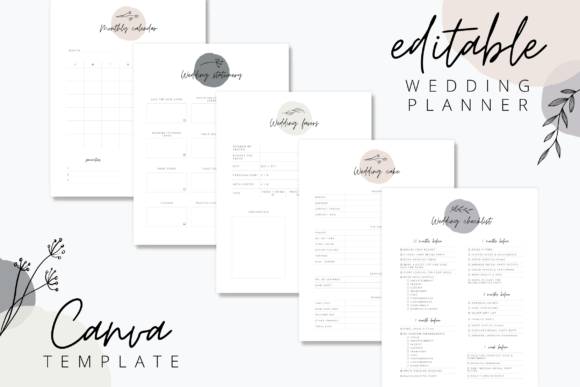
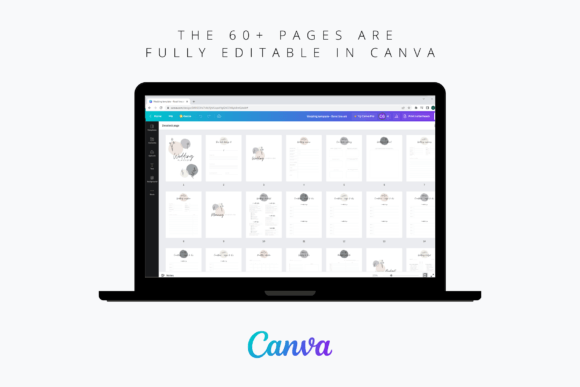
This is the one I’d start a new planner’s toolkit with. Sixty-plus pages, organized into eleven sections, covering everything from seating charts to the honeymoon page, and it’s genuinely 100% editable with a free Canva account — no Pro subscription required to open it.
What I like most is how flexible the license is: rebrand it as a lead magnet for your own business, or make enough changes to resell it as your own planner product. It’s less a single template and more a foundation you build a whole client experience on top of.
2. Elegant Wedding Stationery & Planning Bundle (Canva PRO)
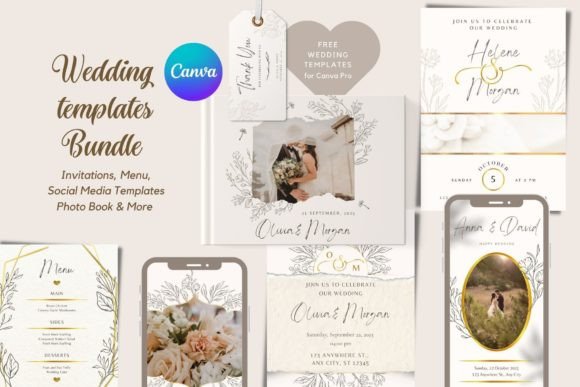
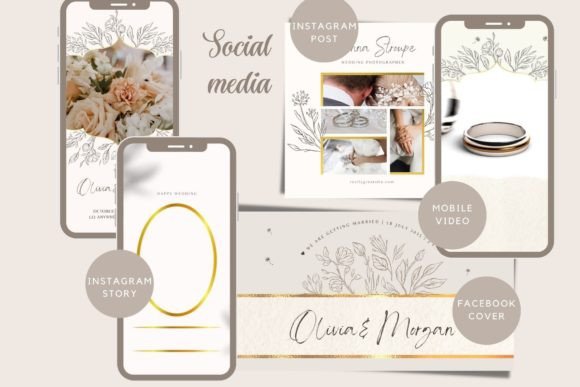
If a couple wants something that feels more romantic and polished than a standard planner page, this is the bundle I reach for. It covers invitations, menus, and programs in one cohesive, sophisticated style, so everything a couple touches — from the save-the-date to the reception menu — actually looks like it belongs together.
Real buyers have called out how elegant and true-to-photo the designs are, which matters more than people think when you’re presenting a full stationery suite to a client for the first time.
3. Ultimate Digital Wedding Planner (Checklist, Budget & Guest List)
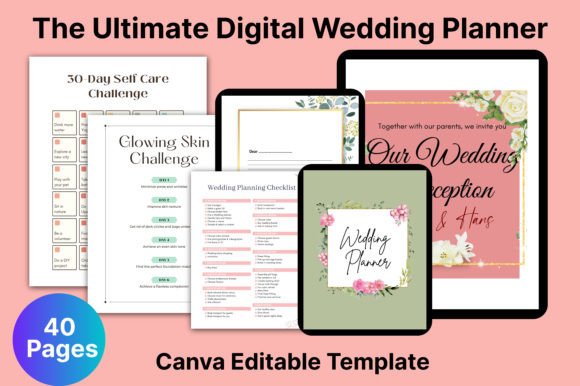
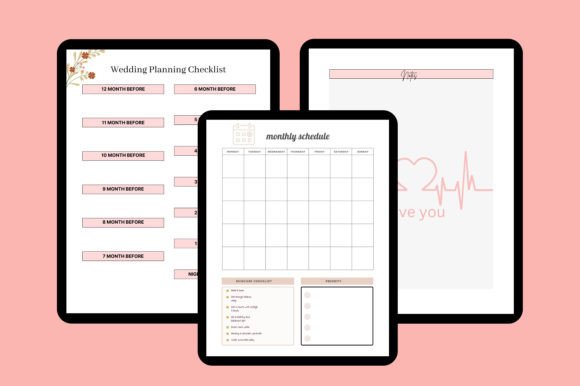
This one’s built for the practical, keep-everything-in-one-place side of the job. It walks through the entire planning arc — checklist, budget planner, guest list, RSVP tracker, vendor comparisons, rehearsal details, timeline, even a wedding party contact list — so you’re not stitching together five separate documents to give a couple a full picture.
I like handing this to clients early on; it makes the scope of the whole planning process feel manageable instead of overwhelming on day one.
💡 Try These Packs Risk-Free! New to Creative Fabrica? Activate your trial today to get 10 free downloads. That’s enough to unlock multiple complete templates featured in this article at no cost. 👉 Claim 10 Free Assets Now →
4. Wedding Planner Binder Templates (Print & Digital)
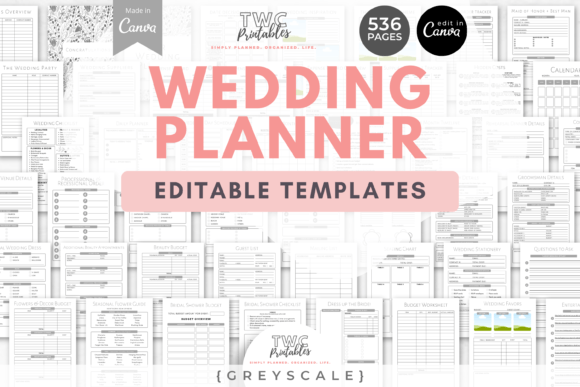
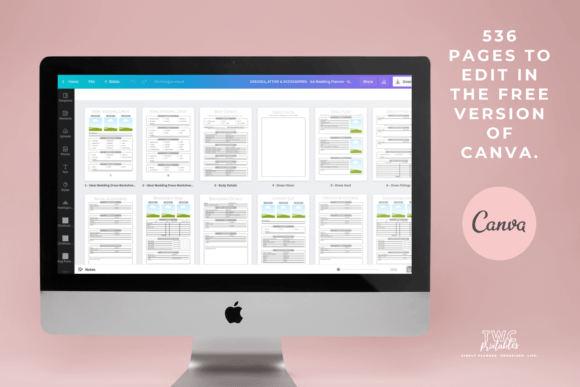
Some couples (and honestly, some planners) still want a physical binder they can flip through at the kitchen table, and this template set is built exactly for that.
It comes with everything needed to build a binder from scratch, in bright, editable colors you can restyle completely, and it includes a free beginner’s guide to Canva if you’re handing this off to a client who’s never touched the platform.
A nice low-effort add-on for planners who offer a “DIY-with-guidance” package alongside full-service planning.
5. Social Media Planner Templates for Wedding & Event Businesses
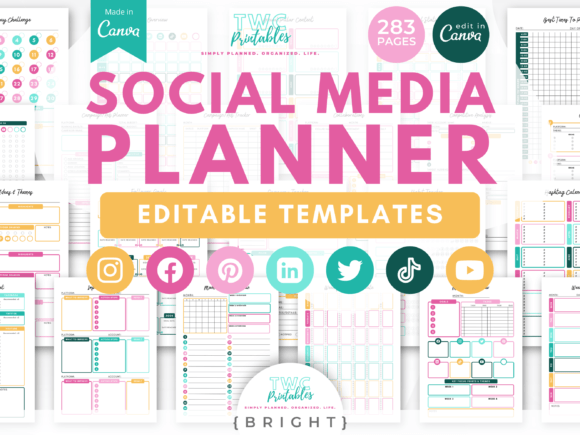
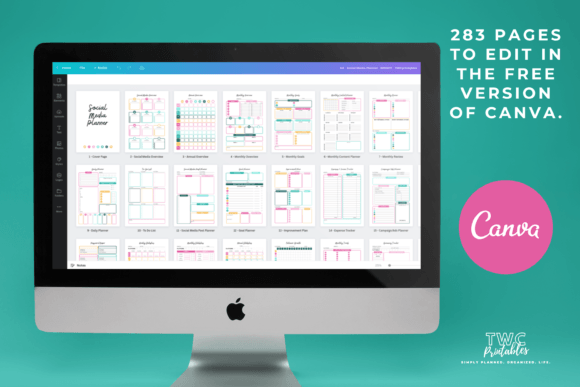
This is where the “business” half of a wedding planner’s toolkit comes in, and it’s the one I think gets overlooked the most.
It’s a genuinely deep system — content calendars, follower and stats trackers, hashtag planners, campaign trackers, even a password keeper — covering Instagram, Pinterest, and Twitter individually rather than treating social media as one generic bucket.
If a planner’s marketing has been inconsistent, this is usually the fix: not more content, just a system for planning it.
Like these picks? They’re all included with Creative Fabrica All Access — rated 4.8/5 from 590+ reviews.
6. Wedding Instagram Post Templates (Rustic Summer Style)
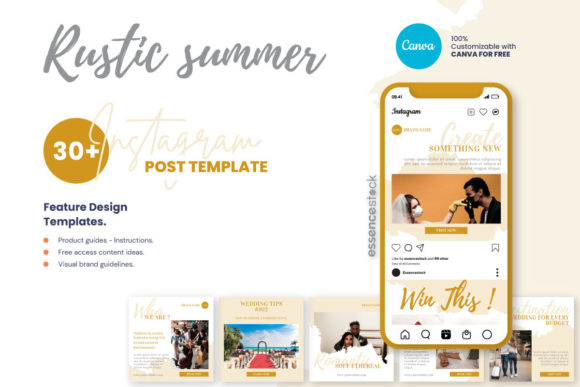
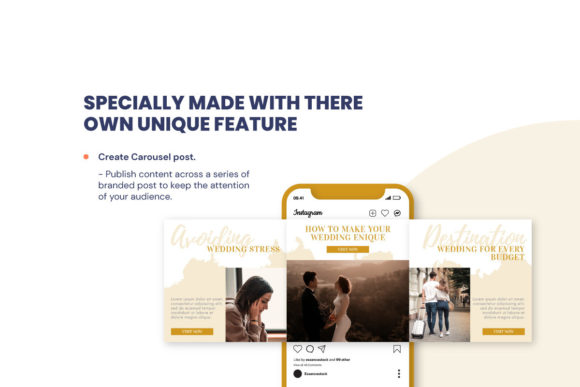
Thirty ready-made Instagram posts in a warm, rustic-summer aesthetic — this is the kind of template that turns “I should post today” into “I already have something to post today.”
It comes bundled with a free set of wedding content ideas, which honestly solves the harder half of social media for a lot of planners: not the design, the what do I even say part.
7. Wedding Instagram Reels Cover Templates
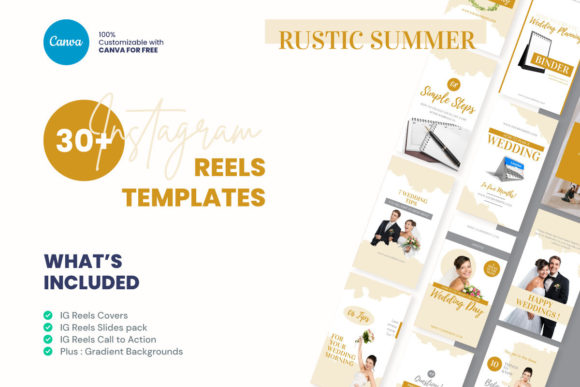
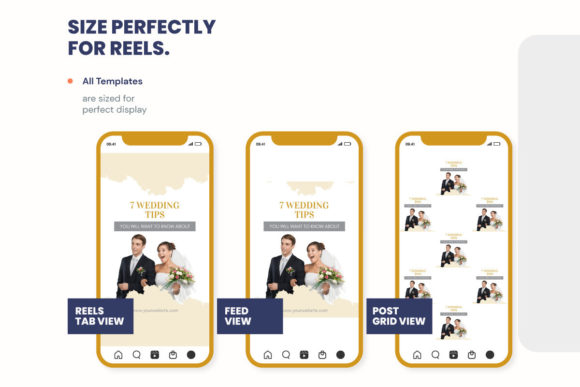
Reels are still where a lot of wedding-industry discovery happens, and this set gives a planner five cover designs plus twenty animated slide templates without touching a video editor. It’s the kind of asset that quietly raises the perceived polish of an account — Reels that look intentional instead of thrown together tend to get watched longer, which is most of the battle on that format.
8. Wedding Planner Canva Template (Canva Pro)
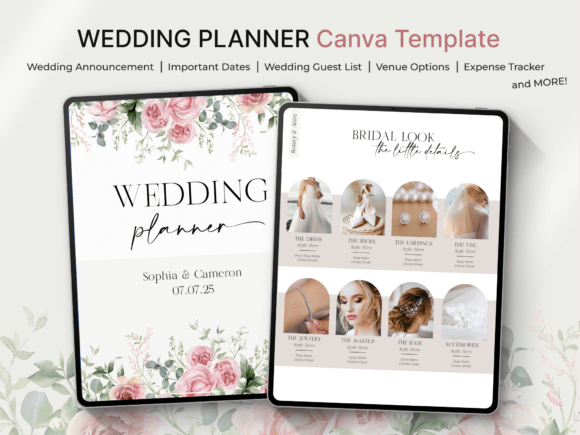
Planning a wedding is an exciting journey, but keeping track of every detail can quickly feel overwhelming!💍
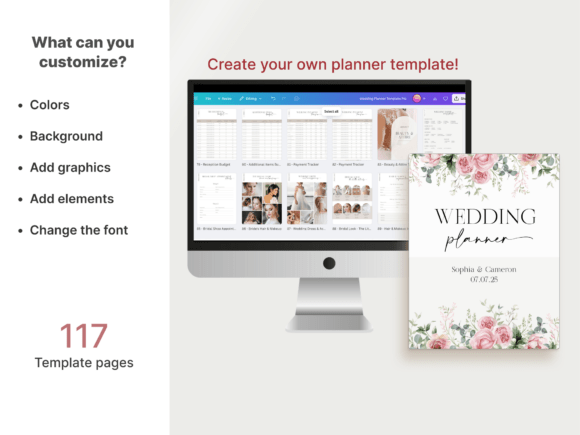
Designed to be your ultimate companion, this 210-page Wedding Planner Canva Template guides you seamlessly through the entire process, helping you stay organized, manage tasks effortlessly, and create the celebration of your dreams without the stress. ✨
This ready-to-use template comes with full PLR rights and is completely editable in Canva, giving you the flexibility to customize every page to your exact needs.
Please note that the design includes Canva Pro elements, so a Canva Pro subscription is recommended to access and edit all features seamlessly.
💬 Frequently Asked Questions (FAQ): Canva Templates for Wedding Planners
What Canva templates does a wedding planning business actually need?
At minimum: a client-facing wedding planner (checklist, budget, timeline, guest list), a client onboarding/questionnaire template, and a social media content system. Most planners underinvest in the marketing side and overinvest in the planning side, when both drive bookings.
Are Canva wedding planner templates editable without Canva Pro?
It depends on the specific template — many are built to work fully with a free Canva account, but some bundles include premium Canva elements that require Canva Pro to unlock. Always check the product description before assuming full access.
Can I resell a Canva wedding planner template as my own product?
Licensing varies by designer and platform. Some templates allow resale if you make substantial changes to the design; others are licensed strictly for personal or single-business use. Read the specific commercial license on each product page before reselling anything.
How many Instagram templates does a wedding planner need to stay consistent?
A rotating set of 20–30 post templates plus 5–10 Reels covers is usually enough to cover a month of content without repeating a design, especially if you vary the photos and captions each time you reuse a layout.
What’s the difference between a wedding planner template and a KDP wedding planner interior?
A Canva wedding planner template is built for a planner to use directly with a client, usually digitally or printed on demand. A KDP wedding planner interior is formatted specifically for Amazon’s print-on-demand publishing requirements, intended to be sold as a standalone printed book.
💡 Pro Tip: All featured Canva Templates for Wedding Planners are available for unlimited download with Creative Fabrica All Access (rated 4.8/5 by 590+ creators).
Conclusion: Build the System Once, Use It All Season
The wedding planners who look the most “put together” online usually aren’t spending more hours on design — they built their system once, at the start of a slow season, and now they’re just filling it in. That’s the whole point of a template library: it turns a six-hour task into a twenty-minute one, every single time, whether that’s onboarding a new couple or posting this week’s Reel.
If you’ve been meaning to tighten up your own toolkit — or you’re building templates to sell to wedding planners yourself — don’t start from a blank canvas. Browse Canva wedding planner templates on Creative Fabrica → and get your next client packet ready before your next inquiry lands.
📚 Related Guides:
- 30 Profitable KDP Niches 2026: Planners, Journals & Trackers That Sell — Find your next winning niche before you design a single page.
- How to Create and Sell KDP Coloring Books Fast Using Creative Fabrica Assets (2026 Guide) — A faster path into one of KDP’s most consistent low-content categories.
- 15+ Best KDP Planner Templates on Creative Fabrica for Commercial Use (2026 Master Collections) — Ready-made interiors with full commercial licensing, so you can publish without redesigning from scratch.
Disclaimer: AppsReviewsHUB.com participates in affiliate programs and may earn a commission on purchases made through our links, at no extra cost to you.